
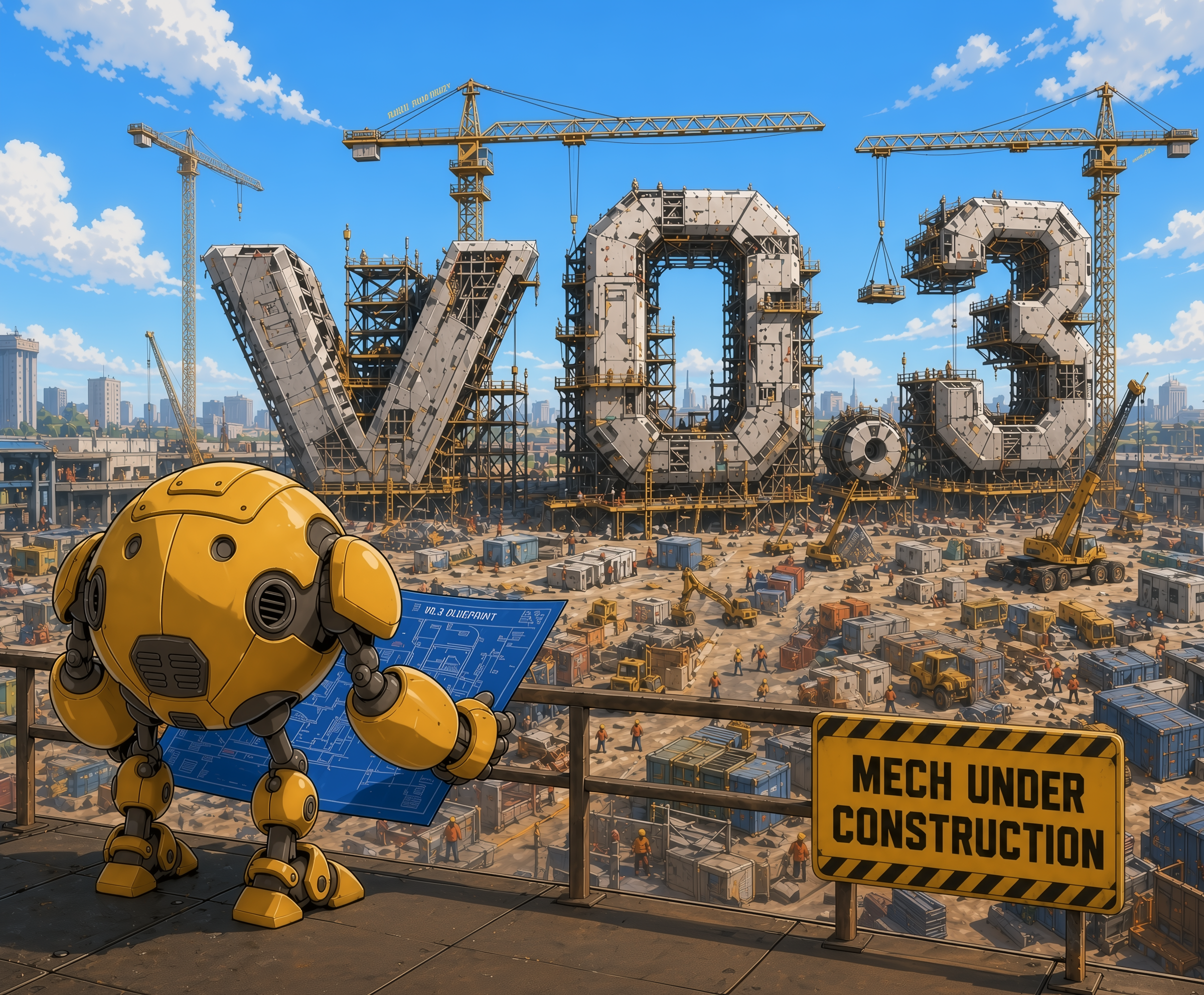
Version 0.2 Wrap-Up
Version v0.2.75 was completed at the end of December 2025. We didn't post a formal announcement at the time since we immediately moved on to v0.3 development, and that work was much more interesting.
Data models in programming languages are often not designed as a single coherent surface across the system; they accrete across syntax, runtime representation, debugging, storage, and wire formats, leaving programmers to mentally and/or manually translate between them[1].
In Mech, values have to move from the REPL back into source code; they appear in the editor, in generated HTML pages, and in live documentation; and they represent ordinary records alongside tables, matrices, sets, and other structured objects. If each of those contexts grew its own notation, inspection format, or special case, the language would quickly become a collection of adjacent representations rather than one model 1. So we treated the data model as the surface that had to hold all of that together.
This also shaped our approach to features; we refused to add new language constructs until the data model was sufficiently fleshed out, making it the primary vehicle for expressing computational ideas. The result was encouraging because we were still able to write programs such as Kalman filters, a simple physics engine, and a live documentation system even with a limited language.
The declarative data model for Mech as of v0.2 had landed at the following set of features:
Data types and structures:
number,string,atom,map,matrix,record,set,table,tuple.Expression broadcasting: applying operations over data structures without explicit loops.
Indexing and slicing: accessing elements within data structures using logical masks.
Operators and standard library functions: arithmetic, logical, comparison, set, matrix etc.
You can visit any of those links to read the documentation for that feature, with examples and explanations.
Of course there are strict limitations on the kinds of programs you can write with that set of features, so today we are launching Mech v0.3 with new mechanisms that make Mech more expressive.
Enums, Tagged Unions, and Pattern Matching
Mech now has an enum and tagged-union system:
An enum is a defined kind with a fixed set of variants. Each variant is an atom which can optionally carry a payload (tag) of any kind. In the example above, <color> is an enum kind with three variants: :red, :green, and :blue. The variable x has the kind <color> and is assigned the value :red.
Because the variants are themselves valid atom values (which are system-global constants that can be used as tags or identifiers), :red is both a variant of the <color> enum and an atom value that can be used elsewhere in the program. This can potentially cause name clashes, so there are tradeoffs here:
Allowing variants to be atoms means we don't need a separate syntax for defining and using enums, which keeps the language simpler and more uniform.
However, because atoms exist in a shared global space, reusing a value like :red across different domains can introduce ambiguity or make code harder to read. To mitigate this, you can use qualified names for variants:
This is similar to other languages with atoms like Elixir [2], so Mech might have to adopt some of the same best practices around naming and organization to avoid confusion.
Tagged Unions
Tagged unions can carry payloads:
In this example, two enums are defined:
<result> with variants :ok and :err, each carrying a <u64> payload
<option> with variants :some carrying a <result> payload; and :none carrying no payload.
The variable x has the kind <option> and is assigned the value :some(:ok(42u64)), which demonstrates tagged union nesting.
Pattern Matching
Values wrapped inside tagged unions cannot be used directly, so we've added a match expression using the ? operator. Match allows you to destructure data by matching them to patterns, which covers the purpose of if and switch statements/expressions in other languages.
Consider the variable x<option> from the previous example. We can match on it like this:
The ? operator is the match operator and works for all values, but is particularly useful for optional values, enum variants, and arrays. Match works by comparing a value against a set of patterns. The arm of first pattern that matches is evaluated and returned as the result of the match expression.
In the example above, we are matching on x which has the value :some(:ok(42u64)). The first pattern :some(:ok(n)) matches, so the variable n is bound to 42u64, and n is returned as the result of the match expression.
We can also pattern match the structure of an array and bind variables to its elements:
In this example, the first pattern [1 2 3] does not match the entire array; however the second pattern [1 | tail] does match because it matches the first element of the array and binds the rest of the array to the variable tail. The result of the match expression is "starts with 1". If we had arr := [1 2 3], then the first pattern would have matched and the result would have been "exact match".
Validation
Match expressions are popular in modern programming languages because of how they interact with the type system to provide exhaustiveness checking and type safety, thus preventing tricky bugs that can arise from unhandled cases or mismatched return types.
In Mech, if match patterns are non-exhaustive, the compiler reports the missing variants and prevents the program from compiling, so you won't accidentally drop cases.
Forgot to cover :blue and :green cases, so this won't compile.
Also, match arm return values must have the same kind, so you can't accidentally return different types from different arms:
This will not compile until the second arm is fixed to return a <f64> instead of a <string>.
Both of these errors if left unchecked can cause bugs that are difficult to track down if they are not caught at compile time.
User-Defined Functions
Functions in Mech are pure and idempotent mappings from input values to output values 2. They support pattern matching, recursion, tail-call optimization, and implicit broadcasting over matrices. We also have planned support for named arguments, where clauses, and function overloading.
The pattern-matching style should feel familiar to anyone who has used functional programming languages like Haskell [3] or OCaml [4]:
ans
Functions are declared with a name (no preceding keyword like fun or fn), a parenthesized list of typed parameters, a return type, and then a body consisting of pattern-matching arms. The | arms are match guards; just like with the match expression, the first guard that matches is evaluated and returned as the result of the function.
You can pattern-match on multiple arguments too:
ans
The tree syntax (├, └) is an alternative to pipes that is more visually structured. Both styles are supported.
When the above block is rendered to HTML, you'll see a value with the small yellow arrow. This is a new feature called "inline ans" that allows you to print the return value of a line by putting {ans} in a comment on that line. Also, click the arrow to send the value to the console (or if it's close a pop-up instead). You can inspect the value as usual with the built-in variable ans, which is loaded as part of the REPL environment. It's an evolution on Matlab's implicit output that you get by leaving the semicolon off the end of a line 3.
Implicit Broadcasting
Implicit broadcasting is also supported in user-defined functions. If you call a function with arguments that are matrices, Mech will automatically apply the function element-wise over the matrices. This means you can write a function that operates on scalars, and it will work just as well on matrices without any extra syntax.
For example, because factorial() was defined above as factorial(x, we can call it with a <[f64]>, and the function will return a matrix of the same shape with the factorial applied to each element:
a 2x2 matrix
The implicit broadcasting rule is simple, and only applies to functions with scalar inputs and outputs:
If any one supplied argument is a matrix, the function is applied element-wise over the matrix, and any scalar arguments are broadcast to match the shape of the matrix.
If more than one input is a matrix, all inputs must have the same shape, and the function is applied element-wise across all of them. If the shapes of all inputs don't match, the compiler will return a
ShapeMismatcherror.
We are still working on this design so it's subject to change. I'm unsure if this idea is good or not. We may just revert back to the idea of a broadcast operator that explicitly applies a function over a matrix like Julia [5] and Matlab [6], which is more verbose but also more explicit and less magical. Or, maybe the programmer has to write several overloaded versions of the function to handle different combinations of scalar and matrix arguments, which is more boilerplate but also more explicit and less surprising.
However, since the whole language is already designed with implicit broadcasts in many other areas, I think we can try it here and see if it's too much. I just don't want to get into the issue Matlab has where the broadcasting rules are myriad and confusing [7]. I'm hoping if we make things more consistent, it will be easier to predict when broadcasting happens.
Tail-Call Optimization
Recursive functions that call themselves in tail position are optimized through a dedicated tail-call elimination pass. This means deeply recursive functions won't blow the stack:
The accumulator pattern above runs in constant stack space, so we can do this without an issue:
The result represents an overflowed value, since the 10,000th Fibonacci number is much larger than what can fit in a u64. Mech does support u128 but not in the wasm target yet. Mech will support big integers in the next version.
State Machines
A state machine in Mech is a way to express ordered computation, protocols, and processes with phases. In terms of expressive power, state machines cover the use case for functions, if, match, switch, for, while, and async/await.
State machines in Mech have two parts: a specification that declares the states of the machine and the data they hold; and an implementation that defines how the machine operates.
We'll use a simple counting state machine as an example that counts down from a supplied number to zero. The specification looks like this:
Define the state machine input, outputs, and states.
State machines are visually distinguished in the source code by the # sigil. This #Countdown specification defines two states for the machine: :Count and :Done, each carrying a u64 value. Then, we define state machine transitions, which includes specifying the start state and its initial value, and then defining at least one transition per state. Transitions are defined using pattern matching and guards, just like in functions and match expressions. The transition rules are evaluated in order, and the first one that matches is taken as the next state.
Define state transitions and initial state.
Run the state machine with a specific input.
#Countdown(3u64)-- ans
The state machine continues transitioning until it either reaches a terminal state, which is indicated by a => arrow; or the transition limit is reached, which is defined at the system level to prevent runaway computations.
Execution Tracing
State machines are a nice control flow mechanism because their formalism allows for static analysis and runtime tracing in ways that are difficult or impossible with more general control flow constructs.
One way we can check state machines is by validating that all transition targets are covered at compile time. If you reference a state that isn't declared, or you forget to handle a state, Mech returns a compile-time error.
Moreover, we have added a new --trace CLI flag which allows you to capture and print a trace of the state machine execution, showing each transition step by step, and the values on the match arm.
The following trace is generated by running the Countdown state machine with --trace:
[trace][fsm][ start] name=Countdown state=@d7a0 :Count(@5790) u64(@4f50:3)
[trace][fsm][  step]    0 state=@d7a0 :Count(@5790) u64(@4f50:3)
[trace][fsm][   arm] [0] check guard pattern=:Count(len=1) ✓
[trace][fsm][ guard] arm[0] check guard[0] condition=n > 0u64 ✓
[trace][fsm][transition] arm[0] @d7a0 :Count(@5790) u64(@4f50:3) -> @a9a0 :Count(@52b0) u64(@5730:2)
[trace][fsm][  step]    1 state=@a9a0 :Count(@52b0) u64(@5730:2)
[trace][fsm][   arm] [0] check guard pattern=:Count(len=1) ✓
[trace][fsm][ guard] arm[0] check guard[0] condition=n > 0u64 ✓
[trace][fsm][transition] arm[0] @a9a0 :Count(@52b0) u64(@5730:2) -> @9d60 :Count(@5130) u64(@4d10:1)
[trace][fsm][  step]    2 state=@9d60 :Count(@5130) u64(@4d10:1)
[trace][fsm][   arm] [0] check guard pattern=:Count(len=1) ✓
[trace][fsm][ guard] arm[0] check guard[0] condition=n > 0u64 ✓
[trace][fsm][transition] arm[0] @9d60 :Count(@5130) u64(@4d10:1) -> @9de0 :Count(@5580) u64(@5160:0)
[trace][fsm][  step]    3 state=@9de0 :Count(@5580) u64(@5160:0)
[trace][fsm][   arm] [0] check guard pattern=:Count(len=1) ✓
[trace][fsm][ guard] arm[0] check guard[0] condition=n > 0u64 ✗
[trace][fsm][ guard] arm[0] check guard[1] condition=n == 0u64 ✓
[trace][fsm][transition] arm[0] @9de0 :Count(@5580) u64(@5160:0) -> @a920 :Done(@54c0) u64(@5310:0)
[trace][fsm][  step]    4 state=@a920 :Done(@54c0) u64(@5310:0)
[trace][fsm][   arm] [0] check guard pattern=:Count(len=1) ✗
[trace][fsm][   arm] [1] check transition pattern=:Done(len=1) ✓
[trace][fsm][output] value=u64(@5310:0)
Tracing instrumentation is behind a feature flag, so it can be turned off as needed for added runtime performance. The trace is stored as JSON, and it can be easily parsed and visualized in various ways — the text above is generated by a simple text renderer that operates on the captured JSON trace.
Example: Bubble Sort
The best way to see state machines in action is with a real algorithm. Here is bubble sort implemented as a state machine in Mech:
Pass: compare adjacent elements and rebuild list in acc
After a pass, reverse the accumulator to restore order
Return the sorted array
Here's how it works:
The state machine starts in the :Pass state with the initial array, an empty accumulator, and a swap count of 0.
In the :Pass state, it compares adjacent elements a and b. If a>b, it appends b to the accumulator and keeps a in the list for the next comparison, while incrementing the swap count. Otherwise, it appends a to the accumulator and keeps b in the list.
When it reaches the end of the list (when the input is empty or has one element), it transitions to the :Next state with the accumulated list and the swap count.
In the :Next state, it transitions to the :Reverse state to reverse the accumulated list back into the original order.
In the :Reverse state, it builds up the reversed list in the accumulator. If there were no swaps in the pass, it transitions to :Done with the sorted array. If there were swaps, it goes back to :Pass to start another pass.
The process repeats until the array is fully sorted and the machine reaches the :Done state, at which point it returns the sorted array. Output states are denoted with
⇒, which means the value of the state is returned as the output of the machine. This notation is consistent with functions and match expressions.
To run it:
What I like about the idea of state machines is they unify a lot of programming concepts, which has allowed us to avoid adding separate constructs for things like loops, conditionals, and async/await. The state machine formalism can cover all of those use cases.
So I don't know yet how well this will play out, but I think it will start to shine when we build more tooling around it, like visualization of the state graph, step-by-step execution tracing, and static analysis of state transitions.
Comprehensions
A comprehension is a construct for creating new data structures from existing ones using generators. They come in two variants: matrix comprehensions and set comprehensions, which work the same but produce different kinds of output. This is useful for when you want to create something like a filtered or transformed version of an existing dataset.
Matrix Comprehensions
Here's an example of a matrix comprehension that constructs a 4x4 identity matrix:
This works by looping over each of the generated index pairs (i, j), evaluating the expression x:=i⩵j for each pair, and then collecting the results into a new 4x4 identity matrix.
The size of the output matrix is determined by the ranges of the generators, so in this case we get a 4x4 matrix because both i and j range from 0 to 4; the resulting matrix is size 1x16, which is then reshaped to 4x4 based on the specified output type.
Set Comprehensions
Set comprehensions work the same way but produce sets instead of matrices. For example, we can use a set comprehension to find the friends-of-friends in a social graph:
This comprehension generates pairs of users and their friends, and then pairs of friends and their friends-of-friends. The fact that f appears twice in the two generators creates a relational join between them, which is something from the Eve language[8] that I really liked and wanted to bring into Mech. In Eve, it would have looked like this:
search
  pairs = [user: 1, friend]
  pairs = [user: friend, fof]
bind
  [fof]
Where the search block generates pairs of users and their friends, and then pairs of friends and their friends-of-friends, and the bind block extracts the friends-of-friends. The Mech comprehension syntax is a bit more compact, and it achieves the same result.
Table Joins
Speaking of relational queries: v0.3 ships the full set of relational operators, each available as both a Unicode symbol and an ASCII word alias:
⋈table/join— inner join⟕table/left-outer-join⟖table/right-outer-join⟗table/full-outer-join⋉table/left-semi-join▷table/left-anti-join
id<u64> | a<u64> |
|---|---|
| 1 | 10 |
| 2 | 20 |
| 3 | 30 |
id<u64> | b<u64> |
|---|---|
| 2 | 200 |
| 3 | 300 |
| 4 | 400 |
Full outer joins preserve optional kinds for columns that may be absent:
Because the a column is missing for the row with id=4, its datatype is <u64?>, which indicates the contents of a cell may be a u64 or it may be _ (empty). This means that values accessed from that column will be wrapped and cannot be accessed without unwrapping them with the ? operator:
Unwrapping the optional value with ? allows us to provide a default value of 0 for any rows where the a column is missing. Also, this demonstrates an instance of expression broadcasting; because C.a returns a <[u64?]>, the unwrap is broadcast over the entire column, yielding <[u64]>.
Mika the Mech
The next new feature from v0.3 I want to talk about is not a traditional language feature, but it's still a big part of the release and the Mech project generally.
Meet Mika the mech, Mechlang's first mascot:

Mika the mech is the Mech programming language mascot. Here she is welcoming you to join the Mech community!
There's enough to say about Mika that it's worth an entire post, but for now we wanted to lay out the vision and direction for this character. Mika came about early on while I was sketching out ideas for the Mech brand and identity. I had an idea for the character, but I hadn't fully committed to the idea of a mascot because there are so many other things to work on, so Mika has been sitting in the background until I had the time to really flesh her out and make her a real part of the project.
With the introduction of AI, Mika has become a higher language priority than I expected, because I see a lot of potential for her to be more than just a static character. Last year, I wrote a stupid joke about an AI cat assistant, which got me wondering if there wasn't some merit to the idea if taken seriously. We already see this concept catching on with general AI assistants — Claude [9], Copilot [10], and Codex [11] all have characters to make the attached service more approachable and relatable to users.
So it seems natural that Mika could evolve from a static character into an AI assistant that lives in the REPL and helps you write code, answer questions, or debug programs, and that makes her a higher priority feature for the project. At the very least it gives me a hook into the AI funding pipeline, which is where all the money is these days.
Character Design
Mascots are particularly useful in programming language communities because programming languages are such abstract things; what does a compiler look like anyway? How can you imagine it or describe it to someone else without talking about its functions? What does it look like on a t-shirt? A mascot gives you a concrete image to associate with the language, which can make it more memorable and engaging.
Mascots also serve as a symbol for the community and the culture around the language, which can help foster a sense of belonging and identity among users. Despite it being right there in the name, it's often forgotten that programming languages are in fact languages, and therefore they have a culture and a community around them that is just as important as the technical artifacts, if not moreso; plenty of terrible languages have thriving communities, and plenty of great languages died because they had no community support. By giving people a shared symbol to rally around and identify with, a mascot can be a powerful tool for building and sustaining that community.
So then what makes a good mascot? We had the following design goals for our Mika:
Visually appealing and cute, so that people will want to share it and put it on stickers and t-shirts.
Embodies the values and personality of the brand it represents, so that it resonates with the community and reflects the spirit of the language.
Representable in various poses and contexts, so that it can be used to convey different emotions and messages.
Possible to simplify the mascot into just a few lines and colors. So in many ways, a good mascot and a good logo share similar design goals.
Mika's design is first and foremost meant to be cute and flexible. As a robot, she can be placed in any situation or pose. Her round head and big round lens in the center of her face are distinctive and easy to recognize in various representations. The black and yellow color scheme is high contrast and fits with Mech's wordmark branding. The name "Mika" is gender neutral4, short, and alliterates with Mech, which makes it fun to say and versatile.
Here's a showcase5 of Mika in various poses and scenes to demonstrate her flexibility as a character:


You can find more Mika images in the Mech assets repository, which is licensed under CC-BY-NC-4.0, which means you're free to use and remix the images (and Mika's likeness) for non-commercial purposes related to Mech, as long as you give appropriate credit. Commercial uses of Mika are not allowed without explicit permission, but non-commercial uses are encouraged and welcomed. To quote Larry Wall[12]:
Good taste and positive connotations are encouraged, but cannot of course be required.
Minimika and Micromika
Minimika ((˙◯˙)) and Micromika (╭⦿╮) are two simplified versions of Mika that are designed to be used as compact representations in places where space is limited, or where text is the primary medium. For example, Mika is already integrated into the Mech (desktop) REPL prompt when some error messages are reported to the user. Each representation has different expressions, gestures, and poses that can convey different emotions and messages.
For example, here are some expressions and poses for Minimika and Micromika:
Mood | Minimika | Pose | Micromika |
|---|---|---|---|
Normal |
| Idle |
|
Content |
| Pointing |
|
Surprised |
| Waving |
|
Scowl |
| Shrug |
|
Sleeping |
| Gripper |
|
Dazed |
| Big Hug |
|
These forms have been integrated into Mech's grammar, which means you can write them in your source code and they will be parsed and factored into the program AST!
The closest thing I have found to Mini/Micromika is when Larry Wall proposed a text-version of Camelia the Perl 6 / Raku mascot, but as far as I know it was never implemented or integrated into the language in any meaningful way. I am not aware of any other textual representations for mascots in programming languages, but if you know of any please let me know!
Synthblocks
But how is Mika's integration into the language meaningful beyond mere decoration? That's where synthblocks come in:
Hello, I'm Micromika!
In source they look like this:
╭⦿╯ ⸢Hello, I'm Micromika!⸥
The idea is that Mika will soon serve as the interface for an AI coding assistant, integrated into Mech down to the source level, Mika will be able to understand, generate, and execute Mech code, answer questions about the language and libraries, help with debugging, and so forth. These synthblocks represent the AI responses to programmer prompts, which can be embedded directly into the source code as a kind of live documentation or interactive comment that is distinguished from regular comments and code.
Being integrated into the grammar and encoded into the AST means they can be accessed, queried, and manipulated programmatically. Any valid Mech code can be embedded inside a synthblock, which means the AI can generate code snippets that are directly executable as part of the program.
In a hypothetical interaction, the user might ask about how to filter a list. Mika could generate this response:
You had asked about how to filter a list, here's how we can do that:
Then you can use the mask to filter the original list:
Only the elements where mask has the value true will be included in the output.
Let me know if you need any more examples!
Then the user can reply to the AI with another query, asking to clarify the response, or to request additional examples, or to sharpen the answer. This transforms a typical AI chat, which usually occurs in Markdown; into an interactive Mechdown document, where both the user and the AI can exchange ideas and snippets that are embedded directly in the source, and execute live in the browser and during the AI's thinking process. Everything is stored as plain text, readable without running code or using external tools like IDEs, and can be version-controlled and diffed like any other source file.
That's all we want to say about Mika for now, but like I said there's more to say so look out for a post just about Mika in the near future.
New Mechdown Features
Mechdown is the markup layer of Mech, a markdown dialect used to create live reactive documents. Mech and Mechdown are co-developed — Mechdown is designed with features that are specifically meant to support the needs of Mech programs, and Mech is designed with features that support live reactive documents.
This tight integration is one of the things that makes Mech unique among programming languages. We introduced the first version of Mechdown in 2019[13], and released the Beta version at the end of last year[14]. As part of today's announcement, we are demonstrating two new Mechdown features: template placeholders, and figures.
These features are demonstrated within this document itself (the one you're reading right now). See the document source, and the HTML shim source for more details.
Template Placeholders
A template-placeholder is a pattern of the form {{NAME}} that can be used within an HTML shim to indicate where the rendered output of a Mechdown document component should be inserted at compile time. This allows you to create custom HTML templates for Mechdown documents.
For example, the core of this document's shim looks like this:
<div class="hero">
  <div class="hero-panel">
    <div>
      <p class="hero-kicker">{{KICKER}}</p>
      <h1>{{TITLE}}</h1>
      {{AUTHOR}}
      {{DATE}}
    </div>
    {{SUMMARY}}
  </div>
  {{HERO}}
</div>
<div class="article-intro" id="articleIntro">
  {{INTRO}}
</div>
<div class="article-layout" id="articleLayout">
  {{TOC}}
  <article class="main-content">
    {{CONTENT}}
  </article>
</div>
The Mechdown compiler takes this shim and a .mec source file, and produces a final HTML document:
<div class="hero">
  <div class="hero-panel">
    <div>
      <p class="hero-kicker">Announcement</p>
      <h1>Template Placeholders</h1>
      Mika
      May 7, 2026
    </div>
    Today we're excited to announce template placeholders!
  </div>
  <img class="mech-image" src="images/hero.png">
</div>
…
Here's a full list of the template placeholders we've added:
{{TITLE}}- The title of the document{{AUTHOR}}- The author or authors of the document.{{DATE}}- The date the document was written.{{SUMMARY}}- A short summary of the document.{{KICKER}}- A short phrase or sentence that serves as a teaser or category for the content{{HERO}}- An image url and alt text for the hero image{{INTRO}}- The introduction section of the document, which is everything before the first numbered section.{{TOC}}- A nested list of contents based on the section headers of the document.{{CONTENT}}- The entire document contents, which is every numbered section.{{SECTION#}}- A specific numbered section.{{FOOTNOTES}}- An auto-numbered list of footnotes at the end of the document, based on footnote references in the content.{{CITED}}- An auto-numbered list of cited sources at the end of the document, based on citation references in the content.{{VAR:NAME@SOURCE}}- A specific value from the Mech program, from a specific interpreter source. This value is rendered as HTML and updated reactively by the Mech runtime when it updates.{{NEXT}}- The next document.{{PREVIOUS}}- The previous document.{{REPL}}- The interactive REPL console, which can be embedded anywhere in the document and is connected to the document's Mech runtime.{{path/to/doc.mec}}- Can be used within a .mec source file to embed the contents of a target document within itself, which allows you to stitch together source files into a larger document.
Figures
A figure is a section element that allows you to combine multiple images into one with a shared caption. This is useful if you have a collection of related images that you want to present together as a single unit.
We've already used one back in the Mika section to show off some of the different poses and expressions of the character. The Mechdown source for that figure looks like this:
|  |  |  | |  |  | |  |  |  |
The syntax is the same as a regular Mechdown table except each element is an image with a caption. The table layout allows you to arrange the images in a grid, and supports horizontal spans, but doesn't yet support vertical spans.
The caption for the entire figure is rendered below the table, and the caption for each subfigure is rendered with lettered labels e.g. (a), (b), (c), etc.
You can see this example figure rendered in ( §7.1 ).
Road to v0.4
The near-term Mech roadmap is organized into four major milestones, each representing a broad phase of development with a specific focus and set of features. The milestones are designed to build upon each other, with each one adding new capabilities and expanding the expressiveness of the language:
v0.1 proof of concept system - minimum viable language implementation
v0.2 data specification - types, structures, formulas, defining and transforming data
v0.3 program specification - functions, modules, state machines, async, Mika
v0.4 system specification - tools, distributed programs, capabilities
Although we've shown off a number of new and working features in this post, this is still just the beginning of the release cycle; we are still actively developing and adding features to v0.3, and we plan to be in this development phase for at least another 6 months. After the summer, our hope is that most if not all of the current v0.3 roadmap features are implemented, and we have a full release candidate near October.
Upcoming New Features in v0.3
The next release of this cycle will add two new operators to Mech that will help streamline AI co-development: synth, which will allow programmers to use AI to synthesize new Mech code at compile time; and gen which will allow programmers to generate values using AI at runtime. Mika will play a prominent role in both of these features, serving as the interface during a pre-compile phase called "synth time", where the programmer can interact with Mika to guide the code synthesis process.
We will also be bringing back modules, which were present in early versions of Mech but were removed during the v0.2 release cycle to focus on core language features. Not much to say about that now.
See the full ROADMAP for the plan through 0.4.
Summer Agenda
This summer, a number of undergraduate students (3 at least confirmed) will be working on Mech as part of various summer research programs, so we will be showcasing their work here as it develops. The main focus is going to be getting Mech ready for demos at various conferences in the fall.
Conclusion
Thanks for reading this far and following the development of Mech. It's been a long journey to get to this point, and I'm really proud of how far we've come. This release is a major milestone for the project, and it opens up a whole new world of possibilities for what we can build with Mech. Special thanks and a shout out goes to my 2024 Senior Capstone team, who were foundational to the state machine work you've seen here: Matthew Castillo, Kimberly Galdemez, Damon Katz, and Eric Yang.
If you'd like to follow along, join the Mech community and check out the resources below:
Docs: docs.mech-lang.org
GitHub: github.com/mech-lang/mech
Discord: discord.gg/asqP25NNTH
Reddit: r/mechlang
YouTube: @MechLang
That's all for now!